Free Fire Max Help Center: Fix Login Errors & Recover Items Fast Guide (2026)
Running into sudden technical problems mid-match can be incredibly frustrating, especially when your ranked progress or purchased items are on the line. The Official Free Fire MAX Help Center is the only safe, verified resource built by Garena to handle player issues in 2026. It runs on a Zendesk-powered backend, and it covers everything from login crashes to diamond payment failures. Using random third-party "support" apps or sharing your UID with strangers online puts your entire account at permanent risk.
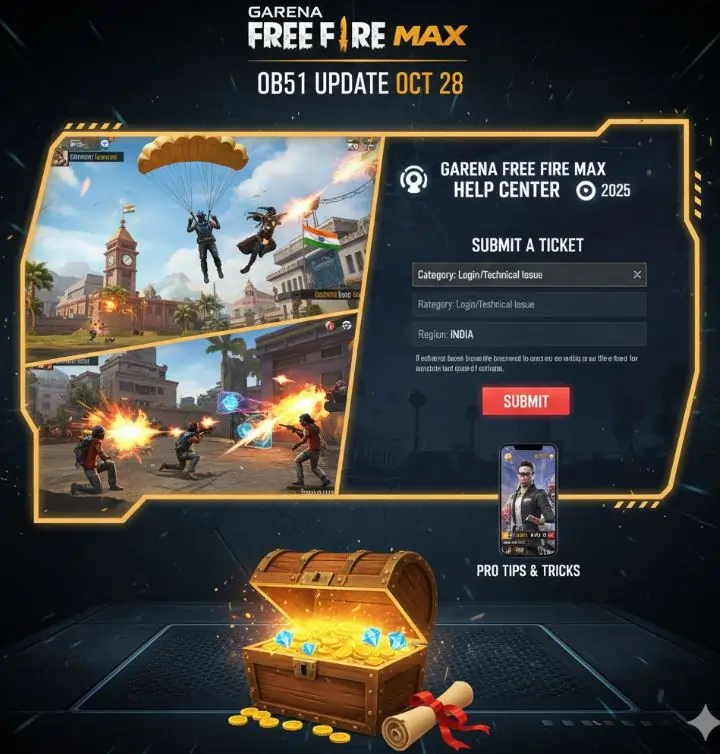
This guide walks you through the exact steps needed to submit a proper support ticket, fix the most common errors yourself, and understand what the support team can actually do for you. Knowing the right process saves days of waiting and dramatically increases your chances of getting a real resolution.
What the Free Fire MAX Help Center Actually Handles
Garena's support team processes thousands of tickets every single day across multiple server regions. Not every issue needs a ticket though. The system is built around five core problem categories, and selecting the right one makes a massive difference in how fast your case gets picked up.
Before you submit anything, it helps to know what falls under official player concern categories so you do not waste time on issues you can fix locally.
📋 Quick Answer: How to Access Support
- In-Game Access: Tap the Gear Icon (Settings) then go to 'Basic' and select 'Customer Service' at the bottom.
- Web Access: Open ffsupport.garena.com in any browser. This method lets you upload larger video files and high-resolution screenshots.
Here is exactly what falls under each support category:
- Account Security Issues: Your account got hacked, someone changed your linked social login, or you received a ban you believe was issued incorrectly. These tickets get priority handling because they involve potential data theft.
- Payment and Diamond Problems: Your bank or UPI app shows a deduction, but the diamonds never appeared in your game wallet. This happens more often during flash sales and peak event hours when servers get overloaded.
- Bug and Glitch Reports: After major OB updates, certain devices experience render glitches, sound bugs, or HUD displacement. Garena relies on player-submitted reports to identify device-specific issues their QA team missed.
- Missing Inventory Items: Gun skins, character unlocks, or event milestone rewards that vanished during a server sync error. This typically happens when you switch between WiFi and mobile data mid-transaction.
- Hacker and Cheater Reports: You recorded clear video evidence of someone using an aimbot, speed hack, or wall hack in your lobby. The Anti-Hack Operations team reviews these manually, so quality evidence matters a lot.
How to Submit a Support Ticket That Actually Gets Results
The single biggest reason tickets get delayed or rejected is lack of detail. Writing "my game is broken" tells the support agent nothing useful. They handle hundreds of similar messages daily, so a well-structured ticket with specific information gets resolved significantly faster than a vague complaint.
Follow this exact process for the best results in 2026:
- Bind Your Account First: Before anything else, make sure your Free Fire UID is permanently connected to a Google, Facebook, Apple, or VK account. Guest accounts store all progress locally on your phone. If the app gets deleted or your cache gets cleared, that data is gone forever and support genuinely cannot recover it.
- Pick the Right Regional Portal: Garena splits its support infrastructure by geography. Using the wrong regional portal sends your ticket to a team that cannot access your server data. Here are the main ones:
- India Server: ffsupportind.garena.com (handles English and Hindi queries)
- Singapore Server: ffsupportsg.garena.com
- Europe Server: ffsupporteu.garena.com
- Choose the Exact Issue Category: On the 'Submit a Request' page, there is a dropdown menu. Selecting the wrong category, like picking 'Game Concerns' when you have a payment issue, pushes your ticket to the back of a different queue entirely. Take 10 seconds to pick the right one.
- Fill In Every Detail Manually: Type out your exact UID number, your in-game nickname, the precise date and time the problem happened (including your timezone), and any error code the game displayed. The more specific you are, the faster agents can locate your account data in their backend system.
- Attach Solid Evidence: Support agents need visual proof to act. Upload unedited screen recordings in MP4 format showing the exact issue, or attach high-resolution screenshots in JPG or PNG format. For payment issues, include the Google Play or App Store receipt. For missing event rewards, screenshot the event page showing your completed milestones.
Fixing Common Errors Without a Ticket
Not every problem needs a support ticket. Some of the most frequent issues players encounter have simple local fixes that work immediately. Try these before waiting 3 to 5 days for a support response.
The "Logout First" Authentication Error
This error pops up constantly and usually has nothing to do with someone hacking your account. It is almost always caused by your phone's clock being slightly out of sync with the game server. Open your phone Settings, go to Date and Time, and turn on "Automatic Date and Time" so your device pulls the correct time from your carrier. After that, go to your app settings, clear the Free Fire MAX cache (not the full app data), and relaunch. This fixes the issue about 90 percent of the time.
Diamonds Purchased But Not Showing
During big events like anniversary sales or collaboration launches, the payment gateway gets hammered with traffic. UPI, Google Play balance, and credit card transactions can take up to 24 hours to fully process during these peak windows. Wait a full day before panicking. If the diamonds still have not appeared after 24 hours, submit a ticket under "Payment Issue" and include the exact GPA Order Number from the automated receipt email Google or Apple sent you. That order number is what lets the support team trace your specific transaction in their payment database.
Account Ban Appeals
Getting banned is serious, and the appeal process reflects that. Garena maintains an absolute zero-tolerance policy on modified game files, third-party APK installations, and any form of teaming with confirmed cheaters. If you genuinely believe your ban was a mistake, you can submit an appeal through the Help Center. Include detailed information about your recent lobby activity, the exact time the ban notification appeared, and any evidence showing you played fairly. Keep your expectations realistic though. The Anti-Hack Operations team reviews appeals carefully, but their final decision is binding in almost all cases.
Community Forums vs Official Support: When to Use Each
The official Help Center portal gives you access to secure, verified account-level actions. Only Garena's support team can restore items, process refunds, review bans, or get compromised accounts. However, the typical response time sits between 3 and 5 business days, sometimes longer during major update rollouts.
For quick technical troubleshooting, like optimizing your ping settings, fixing audio desync, or adjusting HUD layouts after an OB patch, community resources often deliver faster answers. The official Free Fire Discord server and dedicated subreddit communities frequently pin detailed fix threads within hours of a new patch dropping.
One massive warning though. Never share your UID, password, bound email, or any personal login details with anyone in these communities. Do not run external "fix scripts" or "optimization tools" that random users recommend. These are almost always phishing attempts or malware designed to steal your account credentials. If someone claims they can "fix your account" by logging into it, they are trying to steal it.
The Help Center exists specifically so you never have to hand your account details to a stranger. Use it properly, attach good evidence, and give the team time to work through the queue.

Discussion
Leave a Comment